Step 1 - Locate A Booking
Before issuing a refund or canceling a booking, you will need to view the booking details within the booking system.
Within the WordPress admin console, use the left sidebar to navigate to WP Booking System > Bookings, then click the calendar name.
Within the Bookings page at the top of the screen, search for the booking. Use the Search Bookings field at the top-right corner, or use the forward/back arrows at the bottom-right corner.
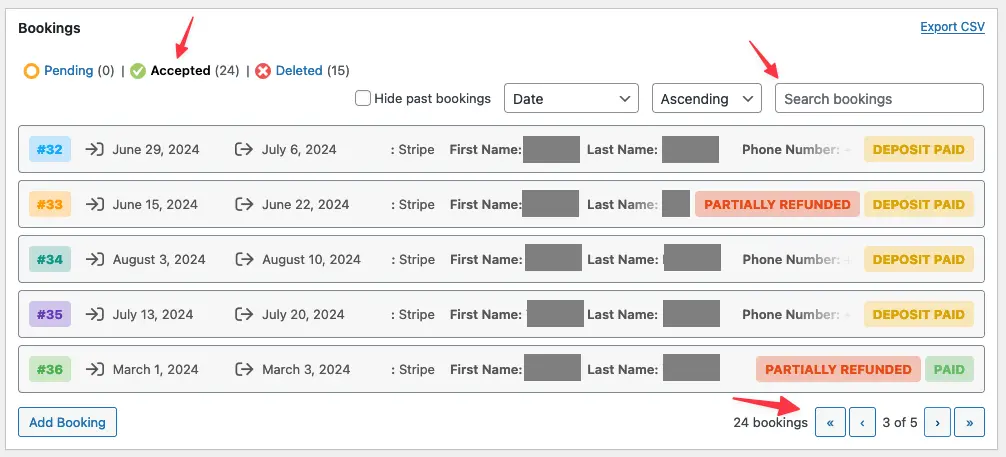
Once located, click on the booking and you will see a screen with details of the booking:
